csgf
latest

INTRODUCTION

  • INTRODUCTION

INSTALLATION AND CONFIGURATION

  • INSTALLATION & CONFIGURATION GUIDE

CORE SERVICES

  • APPLICATION REGISTRY
  • ETOKEN
  • FEDERATED LOGIN
  • GLIBRARY
  • GRID & CLOUD ENGINE
  • JSAGA ADAPTOR FOR ROCCI-BASED CLOUDS
  • MYJOBS
  • OPENID CONNECT FOR LIFERAY
  • SG-MON - INSTALLATION AND CONFIGURATION

WEB APPLICATIONS

  • ABINIT WITH DATA MANAGEMENT
  • ALEPH ANALYSIS
  • ALICE ANALYSIS
  • ASTRA
  • CLOUDAPPS
  • CLUSTALW
  • CORSIKA-LAGO
  • GLIBRARY-REPO-BROWSER-PORTLET
  • GROMACS
  • INFECTION MODEL PORTLET
  • INFECTION MODEL PARALLEL PORTLET
  • INTEROPERABILITY DEMO
  • IORT
  • KNOWLEDGE BASE
  • MPI
  • MULTI-INFRASTRUCTURE PARALLEL JOB
  • MULTI-INFRASTRUCTURE “HELLO WORLD!”
  • NUCLEMD
  • OCTAVE
  • PARALLEL SEMANTIC SEARCH
  • PI CALCULATION
  • R - STATISTICAL COMPUTING
  • SEMANTIC SEARCH
  • SONIFICATION
  • TEMPLATE PORTLET
  • TEMPLATE SPECIAL JOB PORTLET
  • TRODAN
  • VISUALIZE INFECTION PORTLET
  • WRF

MOBILE APPS

  • AGINFRA SG MOBILE
  • DCH-RP ECSG MOBILE
  • EARTHSERVER SG MOBILE
  • Semantic Search
    • About
    • Installation
    • Usage
    • Contributors

API SERVICES

  • SCOAP3 HARVESTER API
  • SEMANTIC SEARCH API

TRAINING MATERIALS

  • TRAINING MATERIALS
csgf
  • Docs »
  • Semantic Search
  • Edit on GitHub

Semantic Search

About

Semantic Search Mobile logo

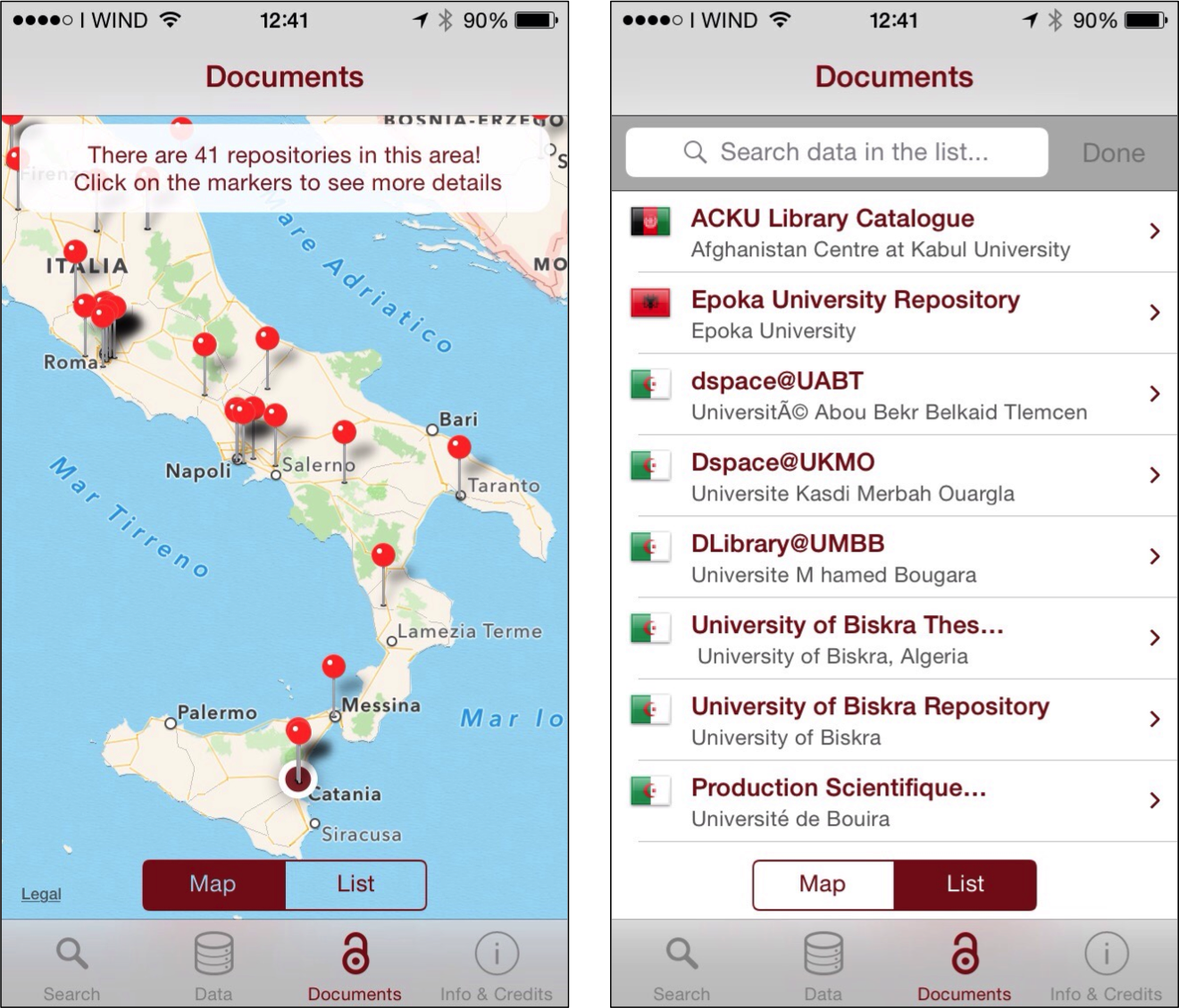
Semantic Search Mobile is a mobile application that allows to browse the almost 3,100 Open Access Data and Documents Repositories integrated in the CHAIN-REDS project’s Knowledge Base, presented either through geographic maps or table. Tapping on a marker on a map or on an element of a table, one gets redirected to the corresponding repository in order to search inside it. The app also allows to use the CHAIN-REDS Semantic Search Engine to search across the more than 30 million resources contained in the Knowledge Base and enriched by means of Semantic Web technologies. For each record found, a short description of the corresponding resource is provided. Tapping on an element of the list, one can access a detailed view with direct links to the document and, if existing, to the related data.

Installation

To install Semantic Search Mobile on your devices simply download the app from the store:

Semantic Search Mobile play store Semantic Search Mobile app store

Usage

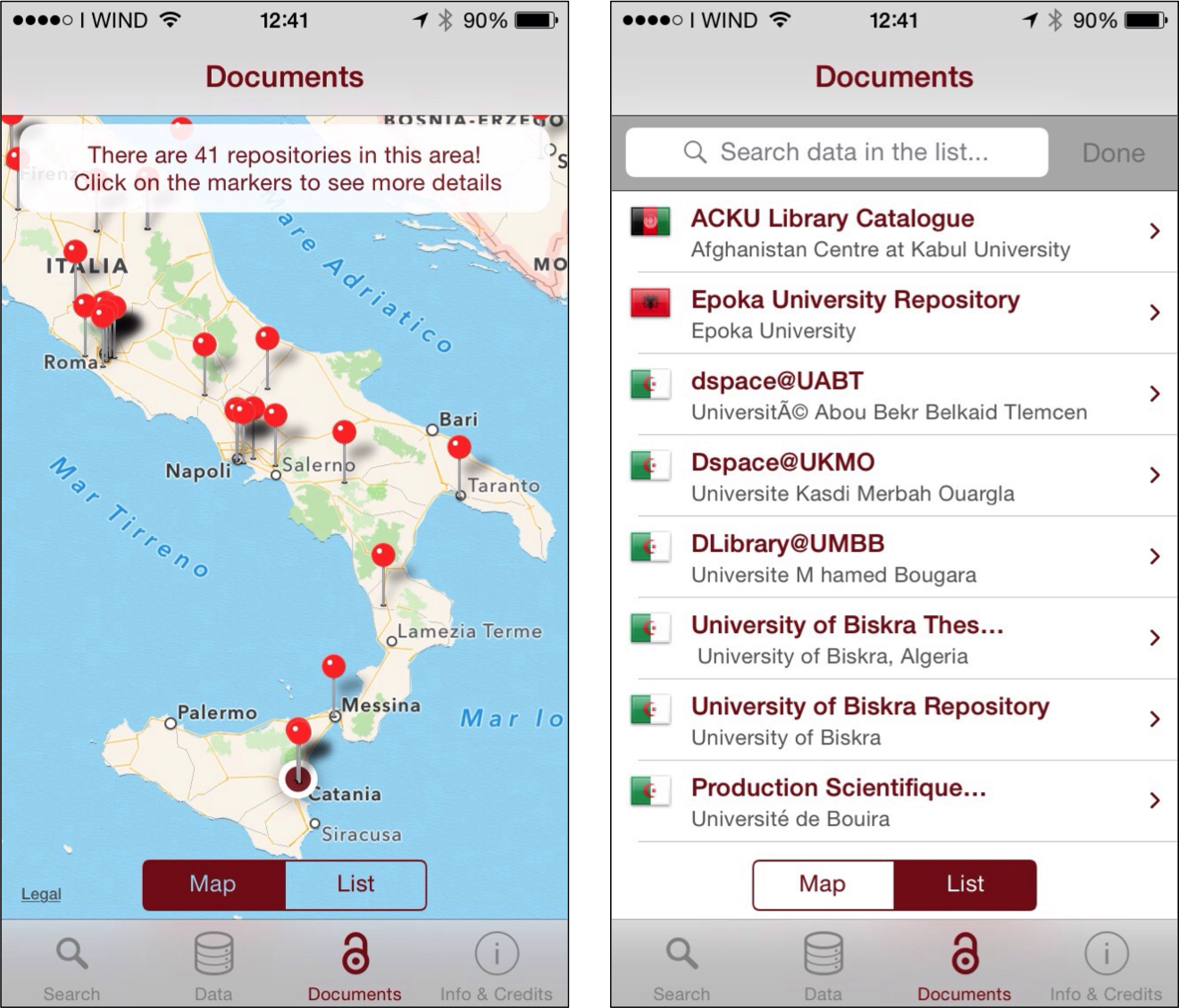
Once the application is installed on you mobile appliance, the user can select the possible filters (according to the Dublin Core Standard) like : dc: author, dc: subject dc: type and dc: publisher.
../../_images/Mobile_Filter_and_Search.png

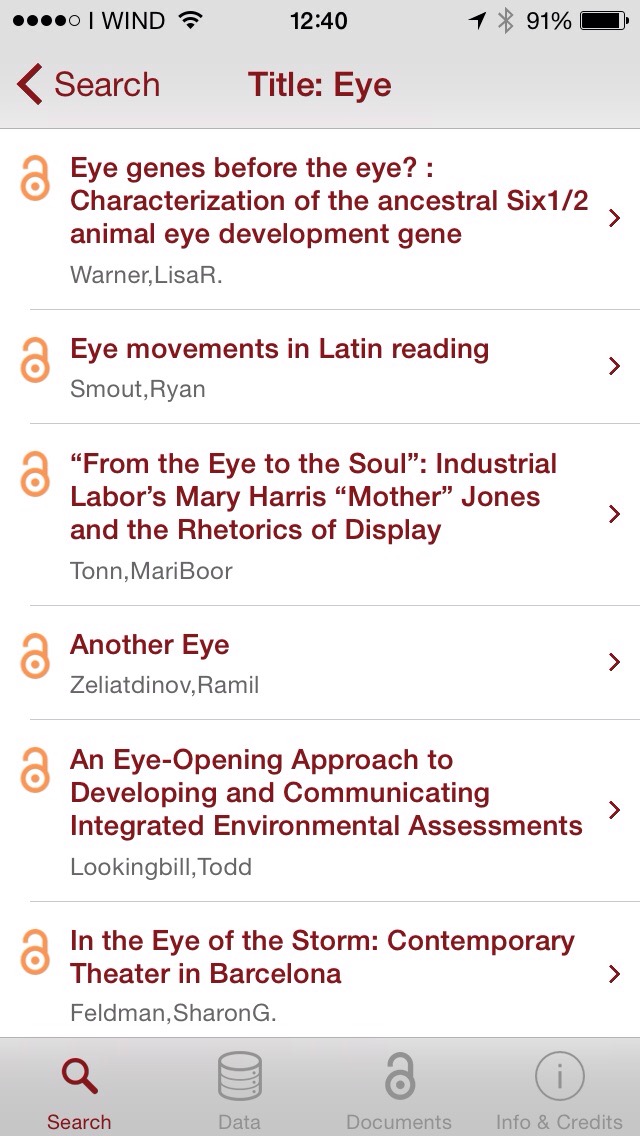
Once choosed the filter (for example “title”) typing one or more keywords in the textbox search, clicking the “Search” button the system submit a REQUEST (HTTP) to get the list of resources that contain the searched keyword inside the title.

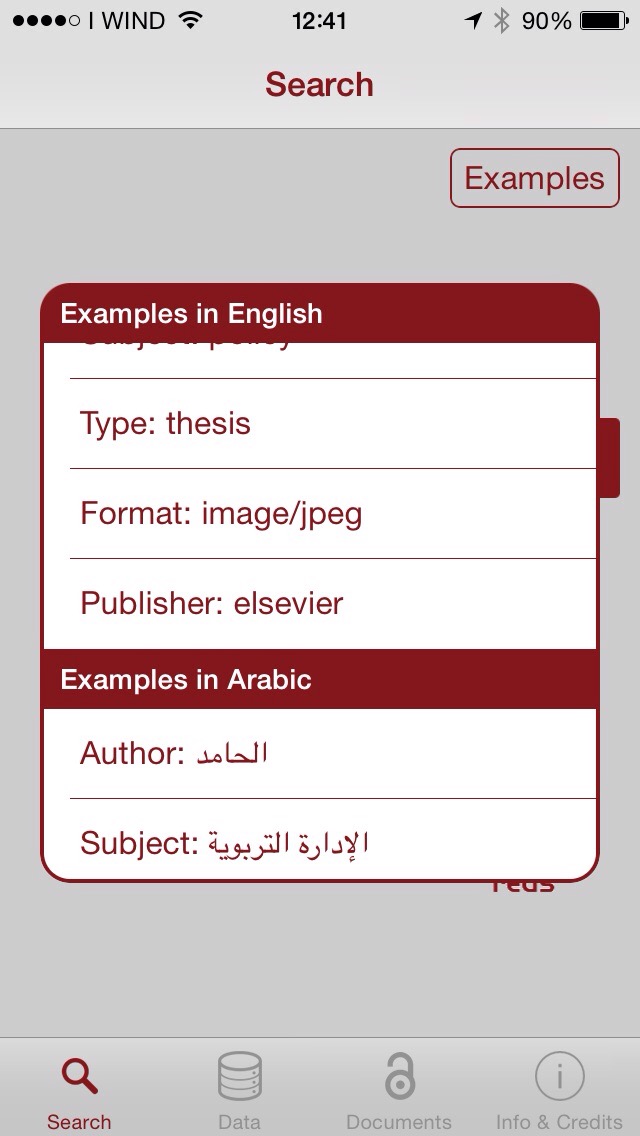
Clicking the “Examples” button are show examples of search filters in 4 of the 110 languages supported by the system.
../../_images/Mobile_Example.jpg

In both cases the results of the request will be processed to obtain the final results, as shown in Figure
../../_images/Mobile_ResultSearch.jpg

Tapping on Data or Documents the application shows the Data or Documents Repositories in geographic map or in list format.
../../_images/Mobile_OADR.png

Contributors

Roberto BARBERA

Carla CARRUBBA

Giuseppina INSERRA

Rita Ricceri

Mario TORRISI

Next Previous

© Copyright 2016. Revision a3a6f476.

Built with Sphinx using a theme provided by Read the Docs.